Chat with local models
Use models through Ollama, or run GGUF (llama.cpp) and MLX models directly. Replies are formatted as they stream in, with Retry under the last response.
 Version 1.1 is out
Run language models on your own computer. Chat with your documents, create files, search the web when you choose to, and keep a personal knowledge base. Your conversations stay on your machine.
Free and open source (GPL-3.0) · macOS, Windows, and Linux · No account, no sign-in
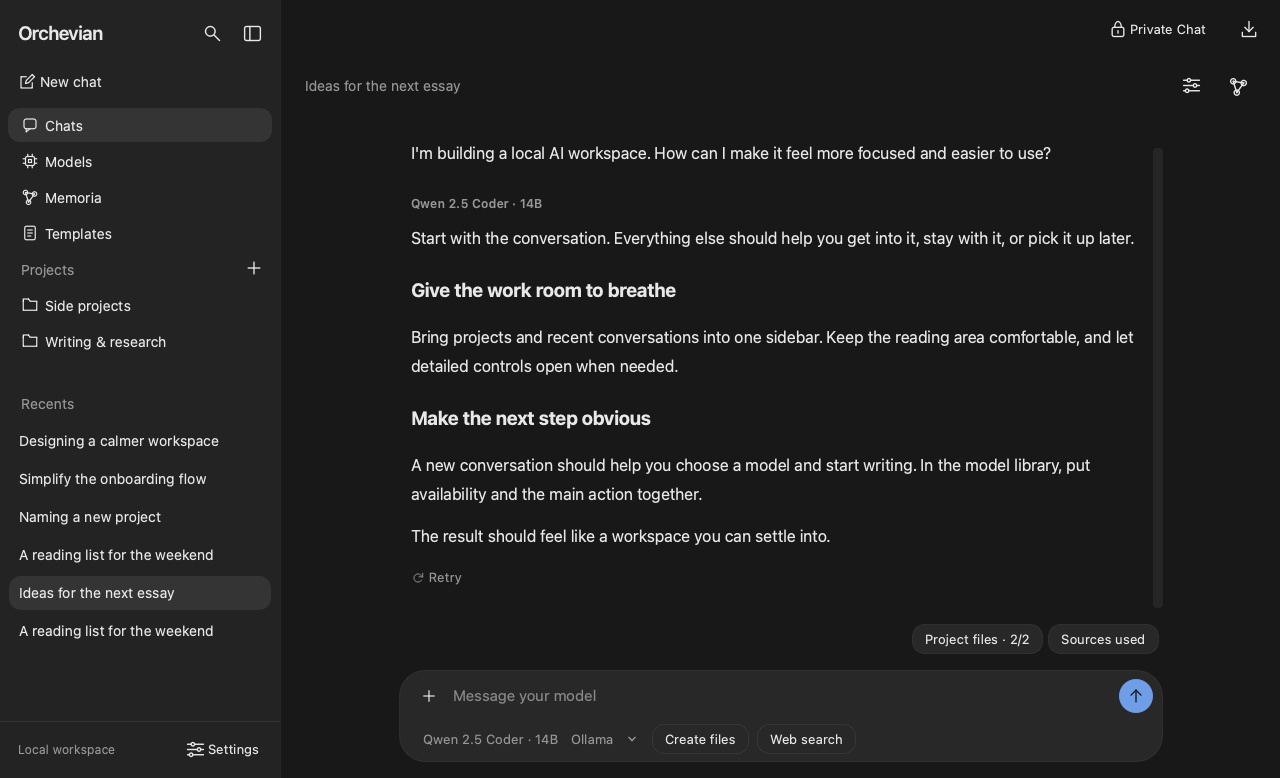
A workspace you can settle into — not a chat box bolted onto a model runner.
Use models through Ollama, or run GGUF (llama.cpp) and MLX models directly. Replies are formatted as they stream in, with Retry under the last response.
Browse Hugging Face and Ollama from inside the app, with suggestions sized to your hardware, a download queue, display names, and storage details.
Group related chats, give them shared guidance, and upload files that every chat in the project can draw on.
Attach PDF, Word, Excel, CSV, text, Markdown, and images. Replies cite the passages they used. Scanned pages can be read with local OCR.
Ask for a Word document, spreadsheet, slide deck, PDF, chart, or data file at any point in a chat, then preview, revise, and save it — with versions and templates.
Turn it on for a single question. It works with no setup and no account, and you can add your own key for Exa, Serper, Tavily, or Brave.
Useful facts from your chats become linked, editable Markdown notes with backlinks and an interactive graph — recalled in later chats, and saved without slowing the conversation down.
Orchevian checks once a day for a newer release and offers it in the toolbar. See what changed, skip a version, or check whenever you like from Help. The daily check sends nothing about you or your chats, and switches off in Settings.
A session that is never saved, never remembered, and cleared when you close it.
An OpenAI-compatible API on 127.0.0.1, a terminal chat, and reusable
prompt templates. Model runtimes run in separate processes, so a stuck model can always be stopped.
Orchevian runs AI models on your computer with nothing else to install. GGUF models work everywhere; MLX models run on Apple Silicon. Ollama is optional.
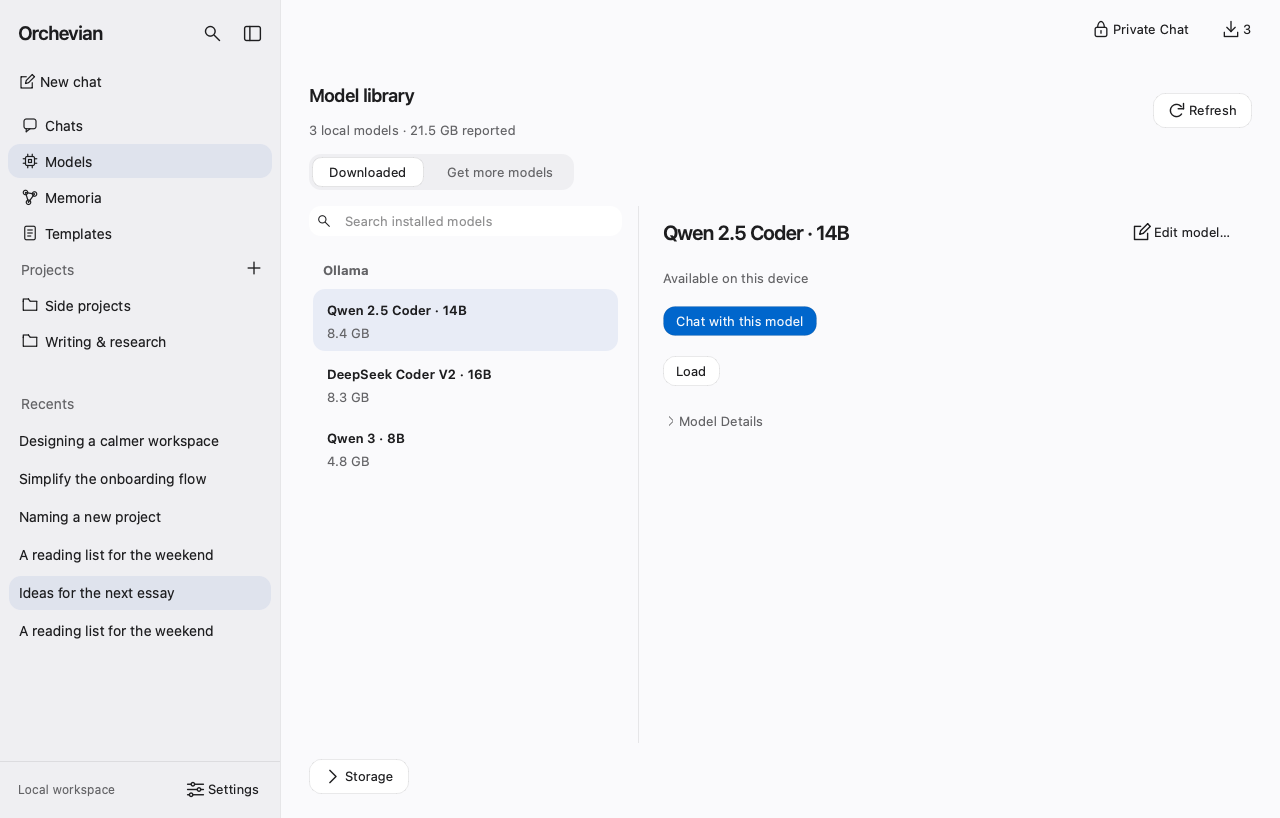
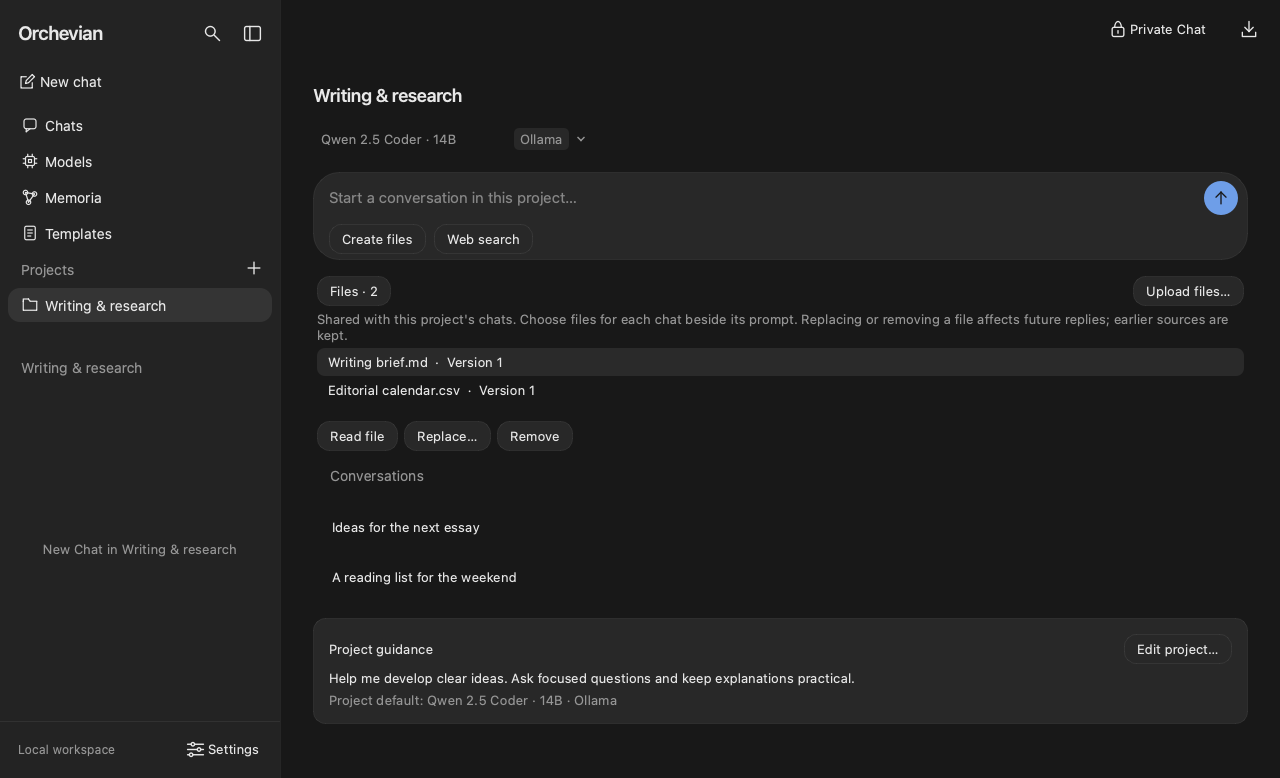
Projects hold the chats, guidance, and files that belong together. Memoria keeps what you learned, so the next conversation starts further along.
Models run on your computer, and your chats, files, and notes are stored locally. Orchevian connects to the internet only when you ask it to:
Up to 500 characters of that one question go to the search service, which may keep it under its own privacy policy. Your files and saved chats are never sent, and search engines' results pages are never scraped.
Orchevian asks GitHub whether a newer version is out. Nothing about you or your chats is sent, and you can turn the check off in Settings → General.
From Hugging Face or Ollama, when you go looking for a model.
Search and API keys are stored in Keychain, Credential Manager, or Secret Service — or an owner-only file where no vault exists. If the vault refuses a key, Orchevian says so rather than saving it somewhere else.
It listens only on 127.0.0.1, is off until you enable it, requires its
own key, limits request size, and blocks browser and DNS-rebinding requests.
The data folder, database, logs, and notes are private to your account, and older installs are repaired on startup.
Model replies can't inject raw HTML, images, or non-web links into the chat, and hovering a link shows where it goes. Web pages are fetched over TLS 1.2 or newer only.
Full details are in the security documentation and the security policy.
Released 6 October 2026. No account needed.
Orchevian-1.1.0-macos-arm64.dmg
Open the .dmg, drag Orchevian into Applications, and open it
from there. The app is signed and notarized by Apple.
Orchevian-1.1.0-windows-x64-setup.exe
The Windows installer isn't code-signed yet, so SmartScreen flags it as an unrecognized app — choose More info → Run anyway. No administrator rights are needed. The SHA-256 below confirms the file is the one published here.
Download for WindowsOrchevian-1.1.0-linux-x64.AppImage
Make the AppImage executable
(chmod +x Orchevian-*.AppImage) and run it.
| macOS (.dmg) | ca736053a159ca8951765c1179ae3060cefae90eb84ff1e7d91344dd34ff39bb |
| Windows (.exe) | 869ad30364be6c72eb495f6b486e3791f185a3b8dbc296ccd9c0bea9f32047f1 |
| Linux (.AppImage) | cc2d84432b27467fe6354872cd531ec8df9b254848ed76e5ad090269e10482f4 |
Compare the checksum of your download with the value above, or with
SHA256SUMS.txt
from the release. On macOS and Linux: shasum -a 256 <file>.
On Windows: certutil -hashfile <file> SHA256.
GGUF models run on every system, and MLX models on Apple Silicon Macs, with nothing else to install. Open Models in Orchevian to download one. To use Ollama models too, install Ollama.
Local OCR needs Tesseract installed. Everything else works out of the box.
Email support@orchevian.com, or open a GitHub issue. The same links are in Help inside the app.
Orchevian is a rebuild of that app. Existing chats, models, projects, and notes carry over automatically. Favourited models are kept, but aren't shown yet.